Confluence (Atlassian): the AI features, and where to switch them off

What each AI feature in Confluence (Atlassian) does, summarised from Atlassian’s own pages (its terms don’t allow copying them word for word), and where Atlassian documents the switch that controls it. Every fact was checked by a person and links to its source.

4AI features listed
4 of 4with a documented switch
3 Nov 2026last checked by a person · how →

EU AI Act · for UK small and medium-sized businesses
AI literacy · AI policy creation for businesses

Manage how your UK business uses AI tools.

Check where the EU AI Act can apply.

Find the AI features in your software, create AI use rules for your business and improve your team’s AI literacy.

Free to sign up, add your software and look at a finished example.

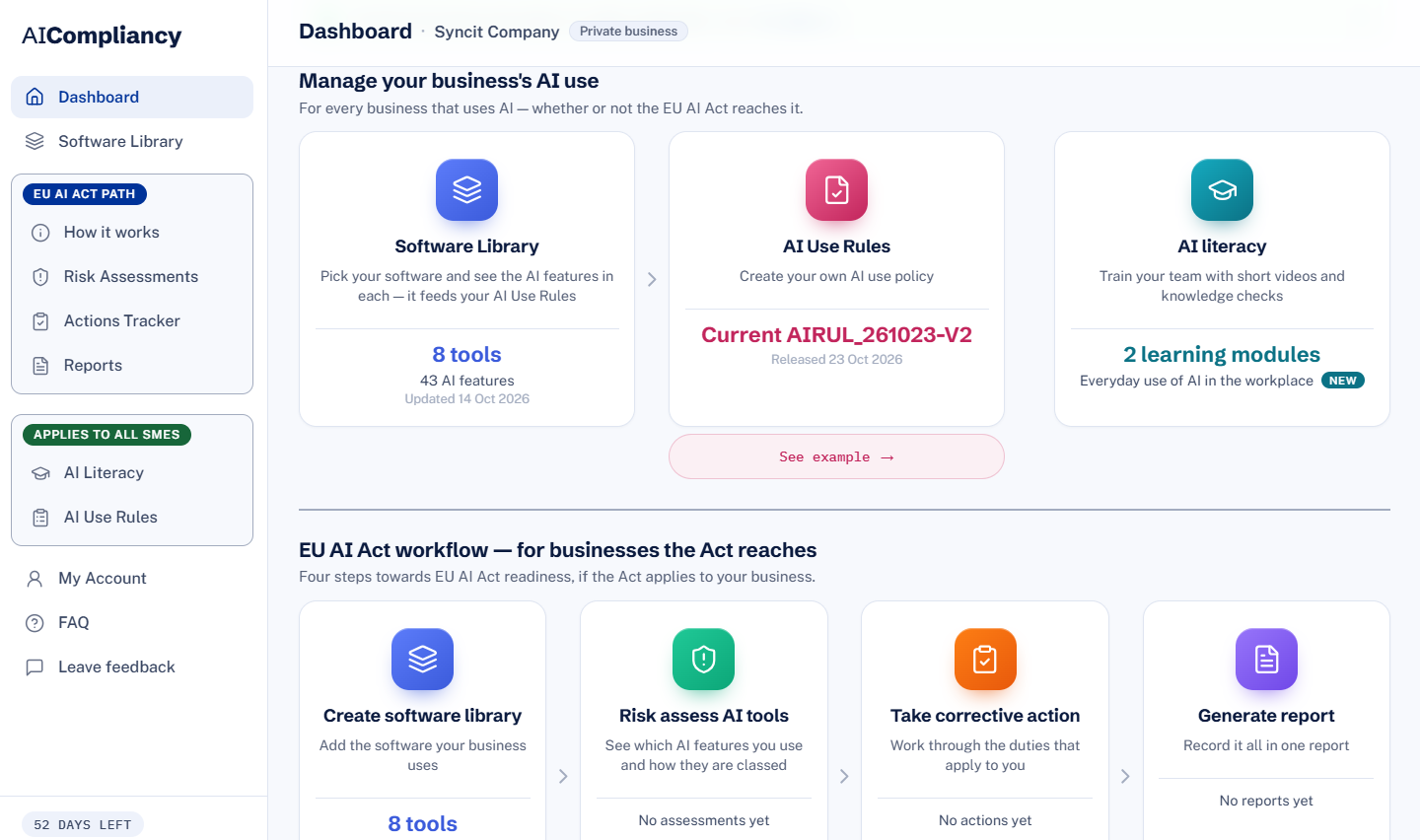
Manage your business’s AI use The AI Compliancy dashboard: Manage your business’s AI use — Software Library, AI Use Rules and AI literacy — above the four-step EU AI Act workflow

A feature missing? Say so here ↓

Rovo

AI that drafts, rewrites, reviews and reads out content in pages, live docs, whiteboards and slides

Atlassian's AI tool inside Confluence. When asked, it drafts new pages, live docs, whiteboards, databases or slides from a prompt, adds content where the user is working, rewrites existing text (tone, improving the writing, spelling, translation), suggests corrections to out-of-date information using data across Confluence, Jira and Loom, and can give an audio summary or read content aloud. Its changes go straight into the editor, where the user can undo them. Blocking Confluence turns this off in Confluence, but Atlassian says Rovo in other Atlassian apps on the same site can still use Confluence's data.

Where to turn off Rovo: see below.

Description source
Atlassian’s page support.atlassian.com ↗ Checked 3 November 2026
Default state
Condition: on some plansdocumented — see where Atlassian says it ↗

Something wrong here? Tell us ↓

Rovo

AI answers to questions typed into Confluence search

When a user types a question into Confluence's quick or advanced search, Rovo recognises it as a question and generates an answer from the pages, live docs and blogs that user is allowed to see, with links to its sources. For general questions it answers from its training data rather than searching the internet.

Where to turn off Rovo: see below.

Description source
Atlassian’s page support.atlassian.com ↗ Checked 3 November 2026
Default state
Condition: on some plansdocumented — see where Atlassian says it ↗

Something wrong here? Tell us ↓

Rovo agents

Atlassian, team-built and third-party AI agents called into pages and comments

AI agents (Rovo agents by Atlassian, agents built by people in the organisation, and third-party agents) that a user mentions in a page, action item, table or comment to get first drafts, quick summaries or specific tasks done. The agent works from the comment, the page and other content the user can access, and asks for approval before posting its reply in the comment thread. A site admin must have enabled Rovo first.

Where to turn off Rovo agents: see below.

Description source
Atlassian’s page support.atlassian.com ↗ Checked 3 November 2026
Default state
AI feature: who can create agents in Studiodocumented — see where Atlassian says it ↗

Something wrong here? Tell us ↓

Confluence automation

Rovo drafts automation flows from a description, and flows can use Rovo, for example to summarise pages

Admins describe an automation in plain language and Rovo drafts the flow, its trigger and actions, for them to check and enable. Flows can also use Rovo as a step, for example summarising each newly published page in a space and adding the summary as a comment, and once enabled they run on their own. App admins can create flows across Confluence and space admins for their own spaces.

Where to turn off Confluence automation: see below.

Description source
Atlassian’s page support.atlassian.com ↗ Checked 3 November 2026

Something wrong here? Tell us ↓

Does your business use Confluence (Atlassian)?

Which of these features are switched on, and what you use them for, decides what the EU AI Act asks of you. AI Compliancy takes you through it tool by tool and gives you a dated report.

Start your check

Spotted something out of date in Confluence (Atlassian)?

A moved switch, a renamed feature, or one that is missing: say what, in a line or two. Every message is read by a person.

Checked by people, kept up to date. Every feature on this page was checked by a person against the vendor’s own pages, and the catalogue is re-checked and updated regularly. Mistakes can still happen and vendors change their products without notice, so always check the linked page before relying on it. These are facts about the software. They are not legal advice and do not say what the law requires of you. How the library is checked

More AI features checked: Microsoft 365 Copilot · Google Workspace · ChatGPT Enterprise · Google Gemini · Microsoft Copilot Chat · Claude (Anthropic) · Box · Workday · Lattice · Asana · Canvas (Instructure) · Figma · Grok (SpaceXAI, formerly xAI) · Mistral Vibe (formerly Le Chat) · Employ AI Interview Companion (Employ Interview Intelligence, formerly Pillar) · Notion · JazzHR · Lever · Jobvite · Perplexity Enterprise Pro · DeepSeek · Adobe Creative Cloud · Google AppSheet · Google Classroom · Google Meet hardware · Google Voice · Google Gemini Enterprise · Microsoft Teams · Microsoft Teams Rooms · Canva · Slack · HubSpot · Zoom Workplace · Zoom Contact Center · Zoom Revenue Accelerator · ZoomMate · Zoom Virtual Agent · Zoom Rooms · Xero · Microsoft Power BI · QuickBooks (Intuit) · ServiceNow · Mailchimp · Zendesk · Salesforce · BambooHR · DocuSign · ADP Workforce Now · LinkedIn Recruiter · LinkedIn Hiring Pro · LinkedIn Jobs · LinkedIn Sales Navigator · LinkedIn Learning · Macorva · Greenhouse · ADP Lyric HCM · ADP Global Payroll · ADP DataCloud · Workable · HiBob (Bob) · Visier · Oracle HCM Cloud · Sage HR · Sage People · Sage Accounting · Sage Sole Trader · Sage Payroll · Sage Intacct · Rippling · Captions · ElevenLabs · HeyGen · Okta · Runway · Synthesia · Descript · Jira (Atlassian) · Verint · monday.com · Adobe CX Enterprise · all tools